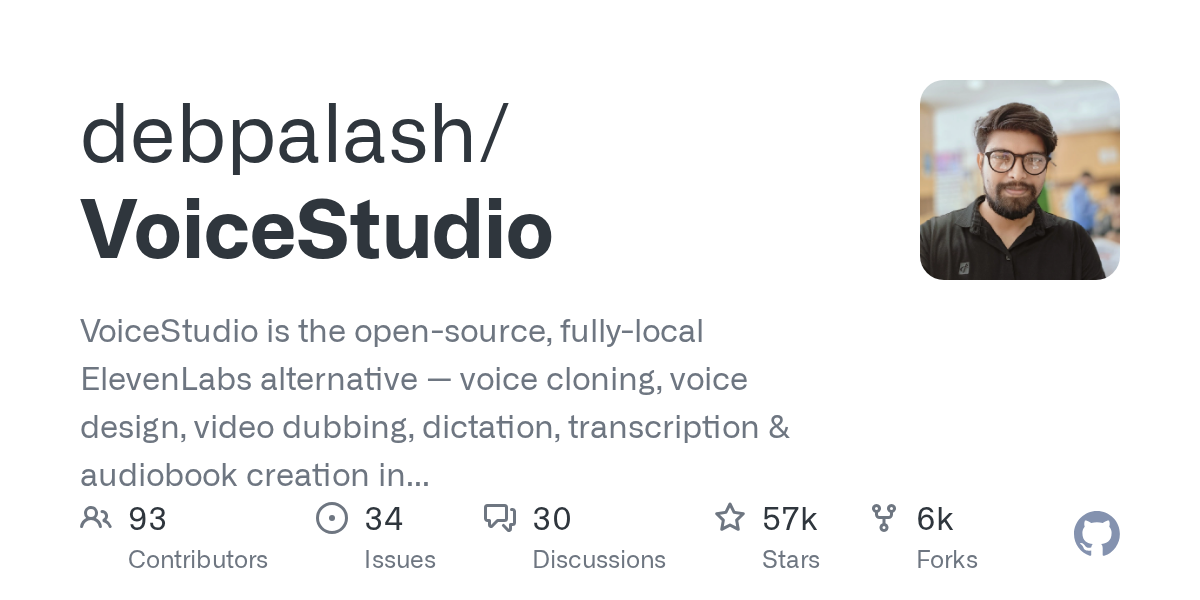
Inside debpalash/VoiceStudio: Architecture & Production Teardown — How Does It Work in Production?
TL;DR: debpalash/VoiceStudio is an open-source, fully-local alternative to managed voice AI services like ElevenLabs, offering voice cloning, dubbing, and transcription across 646 languages. By combining a lightweight Electron frontend with a robust Python/PyTorch backend powered by k2-fsa/OmniVoice, and exposing its capabilities via a Local API and the Model Context Protocol (MCP), it allows engineering teams to integrate zero-latency, privacy-first voice generation directly into their microservices and autonomous agent workflows.
What Is Inside debpalash/VoiceStudio: Architecture & Production Teardown & Why Is It Blowing Up?
In the current landscape of generative AI, voice synthesis and cloning have largely been dominated by proprietary, cloud-hosted APIs. While these managed services offer convenience, they introduce strict rate limits, recurring API costs, and significant data privacy concerns for enterprise workloads. Enter VoiceStudio, an open-source repository that has rapidly amassed over 57,000 stars on GitHub. In our architectural evaluation at bicarait.com, VoiceStudio represents a critical shift from cloud-dependent AI to local-first, edge-capable generative infrastructure.
At its core, VoiceStudio is a comprehensive desktop application and local server environment designed for voice cloning, voice design, video dubbing, dictation, transcription, and audiobook creation. It supports an astonishing 646 languages out of the box. However, what makes it a trending repository among systems engineers is not just its feature set, but its underlying engine and integration capabilities. By default, it is powered by the highly optimized k2-fsa/OmniVoice engine, running entirely on local hardware.
The repository is blowing up because it solves the "last mile" problem of AI voice generation: programmatic, local control. Instead of just providing a graphical user interface, VoiceStudio exposes a Local API and integrates the Model Context Protocol (MCP). This means autonomous coding agents, local scripts, and enterprise microservices can dynamically command the VoiceStudio backend to generate audio without ever sending a byte of sensitive data over the public internet. Furthermore, it provides agent skills (e.g., npx skills add debpalash/VoiceStudio), allowing developers to seamlessly bind voice generation capabilities to their existing AI workflows.
To understand where this moves the needle in the field, we must examine how engineering teams are deploying this architecture in real-world scenarios.
Real-World Field Use Cases: Where This Moves the Needle
When we inspect production topologies, VoiceStudio is being utilized far beyond simple desktop voice cloning. Here are three concrete implementations demonstrating its utility in enterprise and automated environments.
1. Developer Platform Integration: Embedding into CI/CD and Microservices
- The Everyday Problem: Modern SaaS platforms often require dynamic audio generation—such as automated accessibility voiceovers for generated video content, or dynamic IVR (Interactive Voice Response) prompts. Relying on external APIs for thousands of micro-generations per day leads to unpredictable latency spikes, network timeouts, and massive monthly billing surprises.
- How It Works in Practice: Engineering teams can deploy the VoiceStudio backend in a headless configuration within their internal network. By utilizing the exposed Local API, a microservice written in Go or Node.js can send text payloads directly to the VoiceStudio instance. Furthermore, using frameworks like the Google Agent Development Kit (ADK), developers can orchestrate complex graph workflows where an ADK agent researches a topic, drafts a script, and uses VoiceStudio's MCP integration to instantly synthesize the audio—all within a unified, automated CI/CD pipeline.
- The Tangible Impact: Teams achieve deterministic, zero-network-latency audio generation. By removing the external API dependency, the platform gains absolute data sovereignty, ensuring that proprietary scripts or sensitive customer data never leave the internal VPC, while simultaneously eliminating per-character billing costs.
2. Concurrency & Memory Footprint: Evaluating P99 Latency Under Load
- The Everyday Problem: Running local AI models often results in catastrophic memory leaks or unacceptable P99 latency spikes when multiple requests hit the inference engine concurrently. Traditional local wrappers around PyTorch models struggle to queue and batch requests efficiently, leading to Out-Of-Memory (OOM) errors on GPUs.
- How It Works in Practice: VoiceStudio's architecture allows for specific hardware targeting. It leverages CUDA acceleration for NVIDIA GPUs and Metal Performance Shaders (MPS) for Apple Silicon. In a production environment, systems engineers can isolate the Python backend, wrapping it in a load-balancing layer that manages the concurrency of the
k2-fsa/OmniVoice engine. By monitoring the VRAM utilization, teams can implement strict request queuing. For environments without dedicated GPUs, VoiceStudio falls back to a CPU-optimized PyTorch build (requiring about 5 GB of free disk space), allowing for horizontal scaling across cheaper, CPU-only compute nodes.
- The Tangible Impact: By understanding and managing the memory footprint, infrastructure teams can guarantee stable P99 latency for voice generation tasks. The ability to scale horizontally on CPU nodes or vertically on CUDA-enabled instances provides flexible resource utilization, ensuring high availability even under sudden spikes in text-to-speech requests.
3. Build-vs-Buy Adoption Verdict: Operational Trade-offs vs Managed Cloud
- The Everyday Problem: CTOs and engineering leads constantly face the "Build vs. Buy" dilemma. Buying an ElevenLabs subscription is fast but expensive and poses privacy risks. Building a custom text-to-speech pipeline from raw HuggingFace models requires immense ML engineering effort, custom API wrapping, and continuous maintenance of the inference code.
- How It Works in Practice: VoiceStudio acts as the perfect middle ground—an off-the-shelf "Build" solution. It packages the complex ML inference (PyTorch, tokenizers, model weights) into a deployable, API-ready format. Teams can evaluate the operational trade-offs by deploying VoiceStudio via Docker or bare metal and comparing its output quality and maintenance overhead against their current managed cloud bills. The inclusion of an MCP server means integration with existing AI agents requires minimal custom glue code.
- The Tangible Impact: Organizations can drastically reduce their operational expenditures (OpEx) by shifting voice generation to existing capital expenditures (CapEx) like on-premise GPU clusters or underutilized cloud instances. The trade-off is the operational overhead of managing the infrastructure, but the reward is complete control over the model inventory, licensing compliance (AGPL-3.0 for the app), and infinite generation volume without cost penalties.
Under the Hood: Architecture & Design Choices
Analyzing the VoiceStudio Readme, the architectural evolution of the project reveals a deliberate shift toward stability, ecosystem compatibility, and agentic extensibility.
Historically, the project utilized Tauri for its desktop application shell. However, as noted in the documentation, version 0.5.3 marked the final Tauri release. The engineering team made a decisive architectural pivot to Electron as the sole desktop app and web UI framework. This transition likely stems from the need for deeper Node.js integration, broader cross-platform consistency, and the complex IPC (Inter-Process Communication) required to manage the heavy Python backend. The build system now relies on a modern stack including Node.js 22+, Bun for rapid dependency management, and Rust/Cargo for specific native modules.
The backend is where the heavy lifting occurs. It is a Python-based environment built around PyTorch. Depending on the host machine, the backend dynamically binds to the appropriate hardware acceleration layer: CUDA for Windows/Linux machines with NVIDIA cards, and Metal (MPS) for Apple Silicon. For older PCs or Intel/AMD integrated graphics, it gracefully degrades to a CPU-only PyTorch build. Interestingly, the project is also experimenting with Windows on ARM (Snapdragon X), running a native ARM64 Electron app while the x64 Python backend runs under emulation.
One of the most forward-thinking design choices is the implementation of the Model Context Protocol (MCP) and a Local API. Instead of trapping the AI capabilities inside the GUI, VoiceStudio acts as a server. This allows external frameworks to consume its services. For instance, an agent built with the Google ADK can seamlessly connect to VoiceStudio's MCP interface. The ADK agent can utilize its graph workflows and LLM reasoning to determine what needs to be said, and then dispatch a tool call via MCP to VoiceStudio to generate the actual audio file.
Below is a Mermaid flowchart illustrating the internal architecture and execution pipeline of VoiceStudio, demonstrating how requests flow from the UI or external agents down to the hardware-accelerated inference engine.
flowchart LR
    %% External Interfaces
    subgraph Interfaces["Client Interfaces"]
        direction TB
        UI[Electron Desktop App / Web UI]
        Agent[External AI Agent<br/>e.g., Google ADK / Claude]
        CLI[Local Scripts / Microservices]
    end

    %% API Layer
    subgraph Apilayer["API & Protocol Layer"]
        direction TB
        LocalAPI[REST Local API]
        MCP[Model Context Protocol Server]
    end

    %% Backend Engine
    subgraph Backend["Python Backend Environment"]
        direction TB
        Controller[Request Controller & Queue]
        Engine[k2-fsa/OmniVoice Engine]
        PyTorch[PyTorch Inference Core]

        Controller --> Engine
        Engine --> PyTorch
    end

    %% Hardware Acceleration
    subgraph Hardware["Hardware Execution"]
        direction TB
        CUDA[NVIDIA GPU<br/>CUDA]
        MPS[Apple Silicon<br/>Metal/MPS]
        CPU[x86/ARM CPU<br/>Fallback]
    end

    %% Connections
    UI --> LocalAPI
    CLI --> LocalAPI
    Agent --> MCP

    LocalAPI --> Controller
    MCP --> Controller

    PyTorch --> CUDA
    PyTorch --> MPS
    PyTorch --> CPU

    classDef interface fill:#1e1e1e,stroke:#4a4a4a,stroke-width:2px,color:#fff;
    classDef api fill:#2d3748,stroke:#4a5568,stroke-width:2px,color:#fff;
    classDef backend fill:#2b6cb0,stroke:#3182ce,stroke-width:2px,color:#fff;
    classDef hardware fill:#276749,stroke:#2f855a,stroke-width:2px,color:#fff;

    class UI,Agent,CLI interface;
    class LocalAPI,MCP api;
    class Controller,Engine,PyTorch backend;
    class CUDA,MPS,CPU hardware;
This topology highlights the separation of concerns. The Electron app is merely a client to the Python backend. This decoupling is what enables the "headless" production use cases discussed earlier, allowing systems engineers to deploy the backend independently of the GUI.
Hands-On Quickstart & Code Walkthrough
Getting VoiceStudio running locally is remarkably streamlined, reflecting a high degree of polish in its deployment scripts. The maintainers provide multiple avenues for installation, ranging from a simple curl script to agent-driven prompts and full source builds.
1. The One-Command Install (macOS / Linux)
For standard deployments, VoiceStudio provides a shell script that handles the downloading and unpacking of the latest Electron release. According to the VoiceStudio Releases documentation, you can execute the following in your terminal:
# Install the latest Electron release
curl -fsSL https://voicestudio.sh/install | sh

# Install a specific published Electron release (replace X.Y.Z)
curl -fsSL https://voicestudio.sh/install | sh -s -- --version X.Y.Z

# Uninstall the app, keeping your data and models intact
curl -fsSL https://voicestudio.sh/install | sh -s -- --uninstall
For Windows users, the equivalent PowerShell command is:
irm https://voicestudio.sh/install | iex
2. Agent-Driven Installation
Reflecting its deep integration with the modern AI ecosystem, VoiceStudio can be installed directly by coding agents like Claude Code, Codex, or Cursor. You simply paste the following prompt into your agent:
Install the VoiceStudio Electron app on this device and verify it works, following https://github.com/debpalash/VoiceStudio/blob/main/docs/install/agent.md
The agent will read the provided markdown guide, detect your hardware (e.g., checking for nvidia-smi or Apple Silicon), handle model download confirmations, and execute a test generation. Furthermore, if your agent supports skills, you can inject VoiceStudio's capabilities directly into its context:
npx skills add debpalash/VoiceStudio
You can then choose voicestudio for audio workflows or voicestudio-maintainer for repository maintenance tasks.
3. Building from Source (For Systems Engineers)
If you are integrating VoiceStudio into a custom production environment or wish to modify the Electron/Python bridge, building from source is required. The build process leverages bun for fast JavaScript dependency resolution. Note that building the --main branch requires Git, Node.js 22+, Bun, Rust/Cargo, and platform-specific build tools.
# Clone the repository
git clone https://github.com/debpalash/VoiceStudio.git
cd VoiceStudio

# Install frontend/Node dependencies using Bun
bun install

# Prepare the Python backend dependencies (PyTorch, OmniVoice, etc.)
# This step is crucial as it sets up the local inference environment
bun run setup:api

# Launch the Electron app in development mode
bun run dev
To build and launch an isolated, packaged Electron app for testing, you can use:
bun run smoke-test
Adding -- --install to the smoke test will run the networked managed-runtime installation check, ensuring that the Python backend and model weights are correctly linked to the packaged binary.
My Honest Verdict: Where It Fits in Your Stack (Pros & Trade-offs)
When evaluating debpalash/VoiceStudio against the broader ecosystem of AI voice tools, it occupies a highly strategic position. It is not just a toy repository; it is a production-ready inference wrapper for state-of-the-art open-source voice models. However, like all architectural choices, it comes with specific trade-offs that engineering teams must weigh.
The Strengths (Pros)
- Absolute Data Sovereignty and Zero API Costs: The most significant advantage is running inference locally. For industries dealing with PII (Personally Identifiable Information), healthcare data, or proprietary media, sending text to a third-party API is often a non-starter. VoiceStudio ensures data never leaves the host machine. Furthermore, once the hardware is provisioned, the marginal cost of generating 10 hours of audio versus 10,000 hours is zero.
- Agentic Extensibility via MCP: The inclusion of the Model Context Protocol is a masterstroke. It elevates VoiceStudio from a standalone application to a composable infrastructure component. Frameworks like the Google ADK can natively discover and utilize VoiceStudio's capabilities, allowing developers to build complex, multi-agent workflows where voice synthesis is just one node in a larger execution graph.
- Massive Language Support: Supporting 646 languages out of the box via the
k2-fsa/OmniVoice engine makes this tool globally applicable, far surpassing the language support of many paid commercial alternatives.
- Hardware Adaptability: The graceful degradation from CUDA to Metal (MPS) to CPU ensures that the software can run on almost any modern machine, even if inference times vary.
The Limitations (Trade-offs)
- Heavy Resource Footprint: Local AI is never truly "free." The CPU-only build of PyTorch alone requires approximately 5 GB of free disk space. When running inference, the memory footprint (both system RAM and GPU VRAM) can be substantial. Teams deploying this in microservices must carefully monitor memory usage and implement robust queuing to prevent OOM crashes under concurrent load.
- Experimental Architectures: As noted in the documentation, support for Windows on ARM (Snapdragon X) is currently experimental, relying on an x64 Python backend running under emulation. This will result in significant performance penalties until native ARM64 Python ML libraries mature on Windows. Similarly, Intel Macs are restricted to running the App UI only and must connect to a remote backend for inference.
- Licensing Nuances: While the application itself is licensed under AGPL-3.0 (which has strict copyleft implications for commercial SaaS wrappers), the model weights, tokenizers, and generated outputs are subject to separate conditions. Engineering teams must carefully audit the shared model inventory and licensing notices to ensure commercial compliance, as a paid app license does not automatically grant commercial rights to the underlying model weights.
The Final Verdict
VoiceStudio is a triumph of open-source systems engineering. It successfully bridges the gap between complex ML research models and usable, API-driven developer tools. If your team is building a prototype or requires only occasional voice generation, a managed service like ElevenLabs remains the path of least resistance.
However, if you are building autonomous AI agents, processing massive volumes of audio, or operating in a privacy-constrained environment, VoiceStudio is an indispensable addition to your stack. By deploying it alongside orchestration frameworks like ADK and leveraging its MCP interface, you can build a highly resilient, zero-cost, local-first voice generation pipeline that rivals the best commercial offerings on the market.