Inside pablostanley/yoinks: Architecture & Production Teardown — How Does It Work in Production?
TL;DR: yoinks is a highly polished, zero-configuration terminal utility built on Node.js and React (via Ink) that provides a seamless, interactive UI for downloading media from over 1,800 platforms. By automatically managing its own standalone yt-dlp and ffmpeg binaries, it eliminates the notorious Python environment friction typically associated with media extraction, delivering a frictionless developer experience directly in the terminal.
What Is Inside pablostanley/yoinks: Architecture & Production Teardown & Why Is It Blowing Up?
In the landscape of open-source media extraction, engineers have historically been forced to choose between two suboptimal extremes. On one end of the spectrum, there are ad-riddled, web-based downloader portals that compromise security and user experience. On the other end, there are incredibly powerful but ergonomically hostile command-line interfaces like yt-dlp or its predecessor youtube-dl. While yt-dlp is the undisputed industry standard for bypassing platform throttling and deciphering complex media signatures, its usage requires memorizing arcane flags, managing Python environments, and manually handling stream muxing with ffmpeg.
Enter yoinks, a project that has rapidly gained traction, amassing over 5.9k stars on GitHub. As detailed in the pablostanley/yoinks repository, this tool solves the UX problem by wrapping the raw power of yt-dlp in a beautiful, interactive terminal user interface (TUI). It takes over the terminal screen, provides a clickable and keyboard-navigable format picker, and handles all underlying dependency management automatically. Developers are starring it because it respects their time: you paste a URL, pick a resolution, and the file appears in your ~/Downloads folder. No popups, no fake download buttons, and crucially, no sketchy redirects.
Architecturally, yoinks represents a growing trend of bringing web-development paradigms to the terminal. By utilizing Node.js (specifically Node 18+) and the Ink framework—which effectively acts as React for the terminal—the project delivers a responsive, state-driven UI that feels modern. It supports dynamic theming (auto, light, dark) that respects the host terminal's color palette, and it gracefully restores the terminal scrollback buffer upon exit.
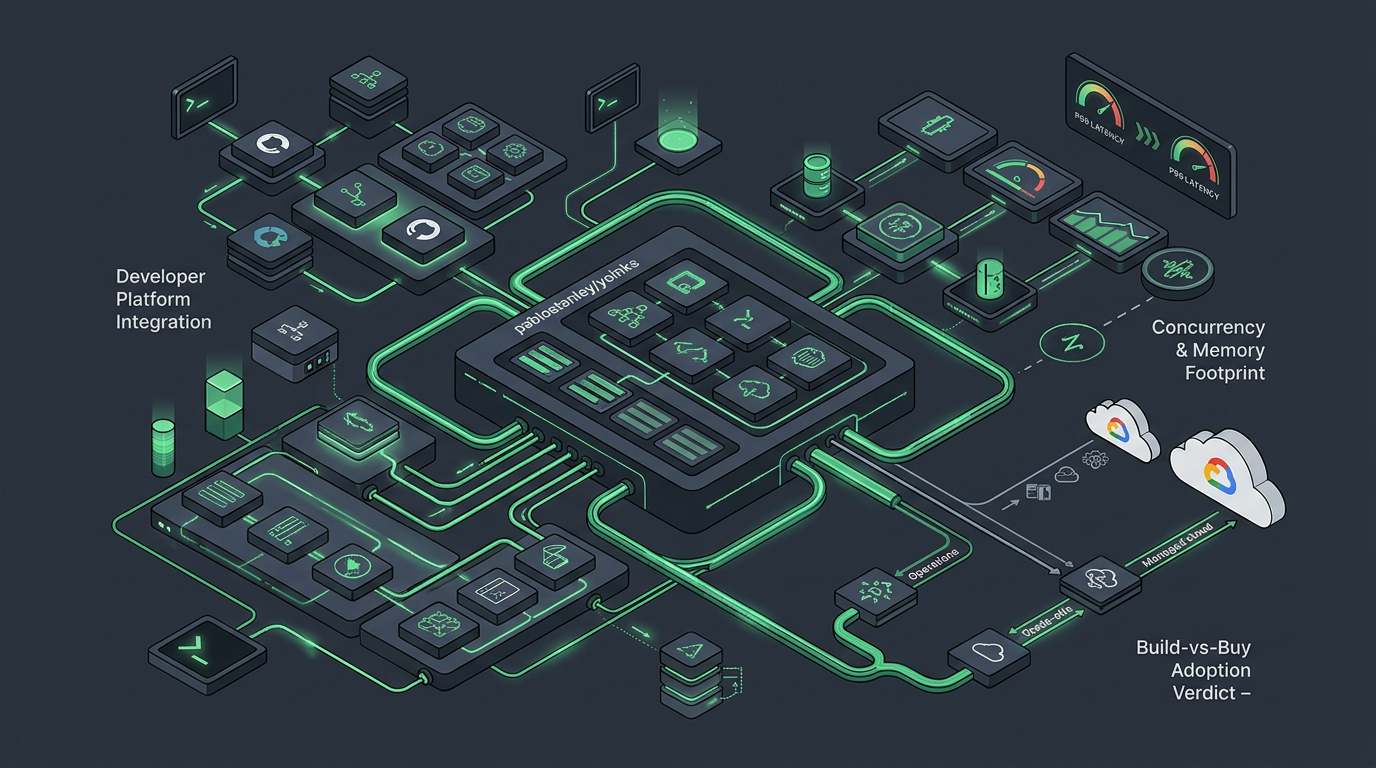
To understand why this tool is relevant beyond personal archiving, we must examine how its underlying mechanics translate to enterprise and production environments. Here are three real-world field use cases demonstrating where the architectural principles behind yoinks move the needle.
Real-World Field Use Cases: Where This Moves the Needle in the Field
1. Developer Platform Integration: Embedding into CI/CD and Production Microservices
The Everyday Problem: Enterprise platforms frequently need to ingest user-submitted media links (e.g., social media monitoring tools, content moderation pipelines, or marketing asset aggregators). Relying on raw yt-dlp scripts often leads to fragile CI/CD pipelines due to Python dependency conflicts (like PEP 668 EXTERNALLY-MANAGED errors) and missing system-level ffmpeg binaries across different Docker containers or runner environments.
How It Works in Practice: The architectural pattern demonstrated by yoinks—automatically fetching and bundling standalone, statically compiled binaries for its core engines—can be directly adapted for microservice architectures. By packaging the extraction logic in a Node.js wrapper that guarantees the presence of yt-dlp and ffmpeg-static, platform teams can expose a reliable internal API or CLI tool for media ingestion. Once the roadmap item for scriptable mode (--best / --mp3 flags) is implemented, yoinks itself could be dropped into automated bash scripts within a CI pipeline without requiring interactive prompts.
The Tangible Impact: This approach drastically reduces pipeline fragility. Engineering teams spend less time debugging environment-specific missing dependencies and more time building core product features, resulting in a standardized, highly reliable media ingestion pipeline across all deployment targets.
2. Concurrency & Memory Footprint: Evaluating P99 Latency Under Load
The Everyday Problem: When scaling media extraction services, the overhead of spawning child processes becomes a critical bottleneck. Running hundreds of concurrent extraction tasks can quickly exhaust system memory and CPU, leading to unacceptable P99 latency spikes and dropped requests.
How It Works in Practice: Evaluating the yoinks stack provides a masterclass in understanding multi-layered process overhead. When a user executes yoinks, the system first spins up the Node.js V8 engine and the React reconciler (via Ink) to render the UI. Once a format is selected, Node.js spawns a child process for the standalone yt-dlp binary (which contains its own bundled Python runtime), which in turn may spawn ffmpeg (a C binary) to mux audio and video streams. In a production environment, engineers must profile this exact stack. By load-testing this Node-to-Python-to-C execution chain, teams can accurately map memory utilization and determine the maximum concurrent child processes a given worker node can handle before context-switching degrades performance.
The Tangible Impact: Deeply understanding this memory footprint allows infrastructure teams to right-size their cloud compute instances. By identifying the exact memory cost of the V8 isolate plus the yt-dlp binary execution, teams can configure precise auto-scaling triggers, ensuring high availability and stable P99 latency even during massive spikes in media ingestion requests.
3. Build-vs-Buy Adoption Verdict: Operational Trade-offs vs. Managed Cloud
The Everyday Problem: Startups and enterprise teams often default to purchasing expensive, managed cloud APIs (like Apify or specialized scraping services) for media extraction because building and maintaining the infrastructure to bypass platform rate limits and cipher updates is operationally exhausting.
How It Works in Practice: The yoinks architecture proves that the open-source ecosystem provides robust, production-ready primitives. By leveraging the self-updating nature of yt-dlp (a feature currently on the yoinks roadmap via yt-dlp -U), teams can build their own highly resilient extraction microservices. The decision comes down to operational bandwidth: do you pay a premium for a managed API, or do you deploy a fleet of containers running a Node.js/yt-dlp stack, managing your own proxy rotation to avoid IP bans?
The Tangible Impact: For high-volume operations, the "Build" route—inspired by the zero-config, bundled-binary approach of yoinks—can result in massive cost savings. By internalizing the extraction logic and relying on the open-source community's rapid updates to extraction signatures, organizations can reduce their third-party API expenditures by orders of magnitude while maintaining complete control over their data pipelines.
Under the Hood: Architecture & Design Choices
When we analyze the internal architecture of yoinks, we are looking at a masterclass in developer ergonomics and dependency isolation. The primary engineering challenge of building a universal media downloader is not the network request itself, but rather the hostile, constantly shifting landscape of platform media delivery. Platforms utilize Dynamic Adaptive Streaming over HTTP (DASH), separate high-resolution video and audio tracks, and complex, frequently rotating JavaScript ciphers to obfuscate stream URLs.
To handle this, yoinks wisely avoids reinventing the wheel. It delegates the heavy lifting to yt-dlp. However, the brilliance of yoinks lies in how it manages this delegation. According to the pablostanley/yoinks#readme, on its first run, yoinks downloads a standalone, statically compiled yt-dlp binary directly to ~/.yoinks/bin. This is a critical architectural decision. By using the standalone binary, yoinks completely bypasses the host machine's Python environment. There are no pip install conflicts, no virtual environment requirements, and no system-level package manager dependencies.
Furthermore, because modern platforms separate high-definition video and audio into distinct streams to save bandwidth, merging them requires ffmpeg. yoinks handles this by first checking the system PATH for an existing ffmpeg installation. If it fails to find one, it falls back to a bundled ffmpeg-static package. This dual-layer fallback mechanism guarantees that the tool will work out-of-the-box on virtually any machine running Node 18+.
The user interface layer is equally fascinating. yoinks utilizes Ink, a React reconciler specifically designed for command-line interfaces. Instead of manipulating the Document Object Model (DOM) of a web browser, Ink translates React components and state into ANSI escape sequences, rendering them to process.stdout. It uses the Yoga layout engine to bring Flexbox semantics to the terminal grid. This allows yoinks to provide a full-screen, centered UI with clickable elements, hover states, and dynamic theming—features that are notoriously difficult to implement using raw bash or standard Node.js readline modules.
When we evaluate system architectures, we often contrast deterministic utility pipelines with non-deterministic AI orchestrators. For instance, the Agent Development Kit (ADK) utilizes complex, graph-based workflows and multi-agent routing for LLM reasoning and dynamic task execution. In stark contrast, yoinks employs a strictly deterministic, linear execution model. There is no probabilistic routing; the state machine transitions predictably from URL input, to metadata fetching, to format selection, and finally to binary execution.
Below is a Mermaid flowchart illustrating the internal architecture and execution pipeline of yoinks:
flowchart LR
    subgraph UserInterfaceLayer["User Interface Layer"]
        A[User Terminal] -->|Executes 'yoinks'| B(Node.js V8 Engine)
        B -->|Renders UI via ANSI| C{Ink / React Reconciler}
        C -->|Captures Input| A
    end

    subgraph DependencyManagement["Dependency Management"]
        B -->|Checks for yt-dlp| D{Exists in ~/.yoinks/bin?}
        D -->|No| E[Download Standalone Binary]
        E --> F[yt-dlp Binary]
        D -->|Yes| F

        B -->|Checks for ffmpeg| G{Exists on PATH?}
        G -->|No| H[Use bundled ffmpeg-static]
        G -->|Yes| I[System ffmpeg]
    end

    subgraph ExecutionPipeline["Execution Pipeline"]
        C -->|User Selects Format| J[Spawn Child Process]
        J -->|Executes| F
        F -->|Fetches Streams| K((Media Platforms))
        K -->|Returns DASH Streams| F
        F -->|Pipes to| H & I
        H & I -->|Muxes Audio/Video| L[~/Downloads/video.mp4]
    end
This architecture ensures that the Node.js main thread remains unblocked during the heavy I/O and CPU operations of downloading and muxing video files. The child processes stream their progress back to the Node.js parent process, which updates the React state, triggering a re-render of the Ink UI to display progress bars and status updates to the user.
Hands-On Quickstart & Code Walkthrough
Getting started with yoinks is remarkably straightforward, reflecting its core philosophy of zero-friction onboarding. Because it is published to the npm registry, installation requires nothing more than a modern Node.js environment (Node 18 or higher).
As documented in the official repository, you can install it globally:
npm install -g yoinks
Alternatively, if you prefer not to pollute your global npm namespace, you can execute it directly using npx, which will fetch and run the package on the fly:
npx yoinks
Once installed, the usage is entirely intuitive. You can pass a URL directly as an argument to bypass the initial prompt and go straight to the format picker:
$ yoinks https://youtu.be/dQw4w9WgXcQ
If you simply run the command without arguments, yoinks will take over the terminal and prompt you to paste a URL:
$ yoinks
The tool also supports explicit theme overrides. By default, it uses an auto theme that inherits your terminal's foreground and background colors, ensuring it looks native whether you use a light or dark terminal profile. You can force a specific palette using flags:
$ yoinks --theme light
During execution, yoinks utilizes an alternate screen buffer (a common TUI technique) to take over the terminal full-screen. You can navigate the format list using standard arrow keys (↑/↓), Vim bindings (j/k), or number keys. It even supports mouse events—clicking the format list or the footer hints works seamlessly. Once the download and muxing process is complete, the file is saved directly to ~/Downloads, and the exact file path is printed to your standard terminal output as your scrollback buffer is restored.
For engineers interested in contributing or modifying the tool, the local development setup is equally streamlined. The project uses tsup, a zero-config bundler powered by esbuild, to compile the TypeScript source code into a highly optimized, tree-shaken JavaScript executable.
# Install dependencies
npm install

# Bundle the TypeScript source to the dist/ directory using tsup
npm run build

# Run the development watcher to rebuild on file changes
npm run dev

# Execute the compiled CLI locally
node dist/cli.js <url>

# Run TypeScript type checking
npm run typecheck
To test your local modifications as a global command without publishing to npm, you can use the standard npm linking mechanism: run npm link in the project root, and the yoinks command will be symlinked to your local development build, available anywhere on your system.
My Honest Verdict: Where It Fits in Your Stack (Pros & Trade-offs)
When evaluating open-source tools for production or daily developer workflows, it is crucial to look past the initial "wow" factor of a beautiful UI and objectively assess the engineering trade-offs. yoinks is an exceptional piece of software, but like all architectural choices, it comes with specific strengths and current limitations.
The Pros: Why It Excels
- Unmatched Developer Ergonomics: The primary strength of
yoinks is its user experience. By leveraging Ink, it brings the declarative, component-driven model of React to the terminal. The result is a highly responsive, visually appealing interface that completely abstracts away the intimidating flags of yt-dlp. The inclusion of mouse support and Vim bindings shows a deep understanding of developer preferences.
- Brilliant Dependency Isolation: The decision to download a standalone
yt-dlp binary to ~/.yoinks/bin is the standout architectural feature. Python environment management is notoriously brittle. By sidestepping pip entirely, yoinks guarantees that its core extraction engine will run reliably, regardless of the host system's Python configuration. The fallback to ffmpeg-static further cements this zero-config philosophy.
- Cross-Platform Consistency: Because it runs on the Node.js V8 engine,
yoinks behaves identically across macOS, Linux, and Windows (via WSL or native Node). The auto theming ensures it integrates seamlessly into any terminal emulator environment.
The Trade-offs: Current Limitations
- Node.js Runtime Overhead: While Node.js is ubiquitous, requiring the V8 engine and a React reconciler just to wrap a Python/C binary is objectively heavy. For a simple CLI tool, the memory footprint and startup time of Node + Ink are significantly higher than a native Rust or Go wrapper would be. For personal use, this latency is negligible, but it is an architectural trade-off worth noting.
- Lack of Scriptability (Currently): As of the latest updates on the pablostanley/yoinks/releases page,
yoinks is strictly an interactive tool. If you want to integrate it into an automated bash script or a cron job, the interactive TUI blocks execution. However, this is a known limitation; the roadmap explicitly lists --best and --mp3 flags to skip the picker and enable a scriptable mode.
- Hardcoded Output Paths: Currently, files are strictly saved to
~/Downloads. In a professional workflow, developers often need to route outputs to specific project directories, external drives, or network-attached storage. The roadmap includes an -o <dir> flag to address this, but its current absence limits the tool's flexibility for complex archiving tasks.
- Clipboard Detection Challenges: The roadmap mentions launching bare and auto-suggesting copied URLs. While this sounds great in theory, implementing reliable clipboard access in a terminal environment across different operating systems (pbpaste on macOS, xclip/xsel on Linux, clip on Windows) within a Node.js context introduces significant cross-platform edge cases and potential security prompt friction.
The Final Verdict
yoinks is a masterfully executed utility that perfectly identifies and solves a specific pain point: the friction of command-line media extraction. It is not trying to be a complex, multi-agent orchestration framework; it is a focused, deterministic tool that does one thing exceptionally well.
For individual developers, researchers, and data hoarders, it is an immediate "install and keep" addition to your global npm packages. It replaces the need to maintain a folder of custom yt-dlp bash aliases. For enterprise teams, while you wouldn't deploy the interactive yoinks UI to a production server, the underlying architectural pattern—wrapping complex, multi-language binaries in a unified, statically bundled execution layer—serves as an excellent blueprint for building reliable internal developer platforms and ingestion microservices. Once the scriptable mode lands on the roadmap, yoinks will transition from a beautiful personal utility to a genuinely viable component for automated media pipelines.