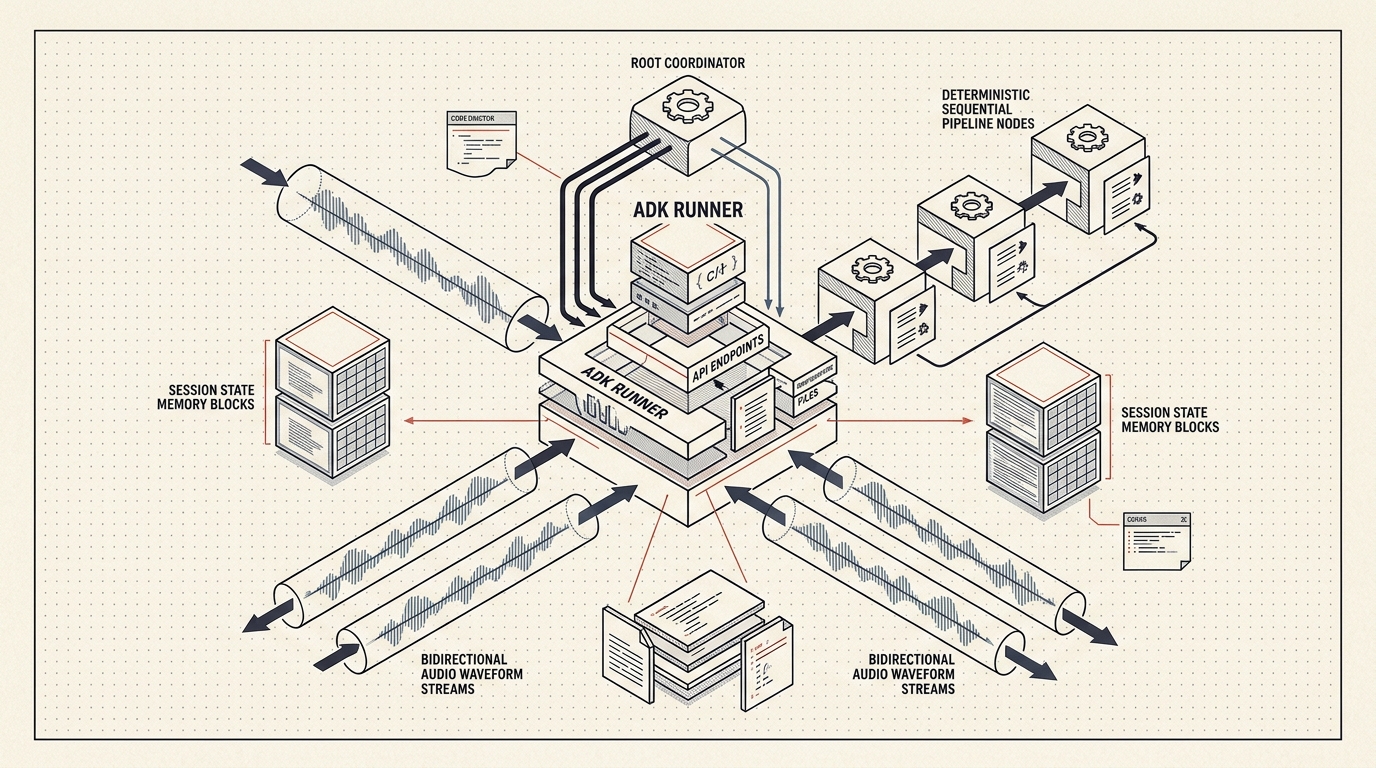
2. The Mental Model Bridge: From Visual Flows (Dialogflow CX) to Code-First ADK
In a recent architecture session with a senior conversational AI engineer who operates a large production contact-center voicebot in Dialogflow CX—spanning multi-step broadband diagnostics, travel pass activations, billing inquiries, and live human agent handovers—the first question on the table was practical:
"How do the Dialogflow CX concepts my team already knows—Flows, Pages, Form Parameters, Route Conditions, Cloud Run Webhooks, Playbooks, Barge-In, and Live Agent Handover—translate into Google ADK?"
First, it helps to clarify when to use which tool. Dialogflow CX and Google Cloud Customer Engagement Suite (CES) Agent Studio remain an ideal choice when cross-functional conversation designers want a visual canvas with turnkey contact-center telephony integrations. You choose Google ADK when your engineering team wants a code-first architecture: modular Python or TypeScript repositories, clean Git pull requests, zero webhook JSON boilerplate, dynamic multi-agent delegation, and automated unit + trajectory testing in CI/CD.
If you already understand visual state machines, you already understand 80% of ADK. Here is the exact 1-to-1 architectural translation table:
| Conversational AI / Dialogflow CX Concept |
Google ADK Equivalent |
How It Works in Code |
| Agent & Default Start Flow |
Root Coordinator (root_agent: LlmAgent) |
Exported from app/agent.py. Greets the user, maintains high-level conversation flow, and delegates domain tasks to specialist sub-agents. |
| Domain Flows & Sub-Flows (e.g., Diagnostics, Add-On Passes, Billing) |
Multi-Agent Hierarchy (sub_agents=[...] or AgentTool) |
Each domain lives in its own focused LlmAgent module with scoped instructions and domain-specific tools, keeping prompts small and accurate. |
| Strict Sequential Diagnostic Flows (e.g., L1 $\rightarrow$ L2 $\rightarrow$ L3 Line Checks) |
Workflow Agents (SequentialAgent, LoopAgent, ParallelAgent) |
Enforces deterministic execution order across sub-agents without relying on an LLM to remember which diagnostic step comes next. |
Pages, Form Parameters & Conditional Routes (e.g., $session.params.outage_checked = true) |
ToolContext.state + Python Guard Clauses |
Tools read and write tool_context.state["outage_checked"] directly and enforce prerequisites using standard Python if/else checks. |
Multi-Function Cloud Run Webhooks (Parsing WebhookRequest / sessionInfo.parameters) |
Native Python FunctionTool / MCPToolset / OpenAPIToolset |
Standard typed Python functions (def check_modem(account_id: str, tool_context: ToolContext) -> dict:) called in-process with zero JSON serialization boilerplate. |
| Task Playbooks & Vertex AI Search Data Stores |
LlmAgent System Instructions + VertexAiSearchTool |
Pairs natural-language agent instructions with grounded retrieval over enterprise documentation in Vertex AI Search. |
Voice Barge-In, endpointerSensitivity & Streaming Audio |
Runner.run_live() + LiveRequestQueue + Gemini Live API |
Streams native bidirectional audio over WebSockets with server-side Voice Activity Detection (VAD) and instant interrupted=True audio buffer flushing. |
| Live Agent Handover Page + Custom Summary Payload |
Escalation FunctionTool + tool_context.actions.escalate = True |
Writes a structured JSON summary into tool_context.state["handover_payload"] and sets tool_context.actions.escalate = True so the host application transfers the caller. |
3. Level 1 (Beginner): Building Your First Stateful ADK Agent in Python
To see how clean ADK is for beginners, let's build a complete, runnable single-agent application (app/agent.py) that helps a customer troubleshoot their home internet connection.
In Dialogflow CX, preventing a bot from rebooting a customer's router before checking for a neighborhood outage requires wiring separate Pages, Form Parameters, and Conditional Transition Routes. In ADK, as demonstrated in the Build a Multi-Tool Agent tutorial, you simply write plain Python functions that read and write tool_context.state:
# app/agent.py
from google.adk.agents import LlmAgent
from google.adk.tools import ToolContext


def check_area_outage(account_id: str, tool_context: ToolContext) -> dict:
    """Step 1: Checks whether a regional network outage affects the customer's account.

    Args:
        account_id: The customer's broadband account ID (for example, 'ACC-1042').
    """
    # Persist the verified account and diagnostic state in session memory
    tool_context.state["account_id"] = account_id
    tool_context.state["outage_checked"] = True
    tool_context.state["active_outage"] = False

    return {
        "status": "ok",
        "account_id": account_id,
        "active_outage": False,
        "message": "No regional network outage detected for this area.",
    }


def check_modem_telemetry(tool_context: ToolContext) -> dict:
    """Step 2: Queries optical signal levels and packet loss from the customer's modem."""
    if not tool_context.state.get("outage_checked"):
        return {
            "status": "blocked_precondition",
            "action_required": "You MUST call check_area_outage first before querying modem telemetry.",
        }

    if tool_context.state.get("active_outage"):
        return {
            "status": "skipped_due_to_outage",
            "message": "Regional outage is active; individual modem diagnostics are unnecessary.",
        }

    tool_context.state["telemetry_checked"] = True
    tool_context.state["optical_rx_dbm"] = -19.4
    return {
        "status": "ok",
        "optical_rx_dbm": -19.4,
        "packet_loss_pct": 4.2,
        "recommendation": "Optical signal is healthy (-19.4 dBm), but packet loss is elevated. Remote reboot recommended.",
    }


def trigger_remote_reboot(tool_context: ToolContext) -> dict:
    """Step 3: Sends a remote restart command to the customer's modem to clear packet loss."""
    if not tool_context.state.get("outage_checked") or not tool_context.state.get("telemetry_checked"):
        return {
            "status": "blocked_precondition",
            "action_required": "Cannot reboot modem until BOTH check_area_outage and check_modem_telemetry have completed.",
        }

    tool_context.state["reboot_triggered"] = True
    return {
        "status": "reboot_initiated",
        "account_id": tool_context.state.get("account_id"),
        "estimated_recovery_seconds": 90,
    }


root_agent = LlmAgent(
    name="broadband_support_assistant",
    model="gemini-2.5-flash",
    description="Technical support assistant that diagnoses internet connectivity step by step.",
    instruction=(
        "You are a helpful broadband technical support assistant. "
        "Follow a strict diagnostic sequence: "
        "1) Always check for a regional outage with check_area_outage first. "
        "2) Next, inspect signal health with check_modem_telemetry. "
        "3) Only call trigger_remote_reboot if telemetry was checked and recommends a reboot."
    ),
    tools=[check_area_outage, check_modem_telemetry, trigger_remote_reboot],
)
Why This Pattern Clicks Immediately for Engineers
- Zero Schema Boilerplate: ADK inspects your Python type annotations (
account_id: str) and docstrings to construct the tool declaration for Gemini automatically.Notice that tool_context: ToolContext is injected automatically by the ADK runtime and hidden from the LLM schema.
- Shared Session State (
tool_context.state): Every value written to tool_context.state is tracked as a state delta in the session history and remains available on subsequent user turns.
- Deterministic Safety Guardrails: Even if an impatient caller says "Just reboot my router right now!",
trigger_remote_reboot checks tool_context.state in pure Python and refuses to execute until check_area_outage and check_modem_telemetry have both succeeded.
4. Supercharging Development with agents-cli (google-agents-cli)
While you can create ADK files manually and run adk web, Google provides the Agents CLI (google-agents-cli)—a unified command-line toolkit and AI coding skill bundle documented at google.github.io/agents-cli that streamlines the entire engineering workflow: Scaffold $\rightarrow$ Run & Playground $\rightarrow$ Evaluate $\rightarrow$ Enhance $\rightarrow$ Deploy.
Just as importantly, running uvx google-agents-cli setup installs official ADK development skills directly into AI coding assistants such as Antigravity, Claude Code, and Cursor (Coding with AI guide). This equips your IDE assistant with authoritative knowledge of ADK patterns, evaluation datasets, and Cloud Run / Vertex AI Agent Engine deployment configurations.
flowchart LR
    subgraph Step1["1. Scaffold (Prototype-First)"]
        S1["agents-cli scaffold create my-agent<br/>--agent adk --prototype"]
    end

    subgraph Step2["2. Run & Visual Debug"]
        S2["agents-cli run '...'<br/>agents-cli playground"]
    end

    subgraph Step3["3. Two-Layer Verification"]
        S3["uv run pytest (Unit Tests)<br/>agents-cli eval run (Trajectories)"]
    end

    subgraph Step4["4. Enhance & Deploy"]
        S4["agents-cli scaffold enhance .<br/>agents-cli deploy"]
    end

    Step1 --> Step2 --> Step3 --> Step4
The Prototype-First agents-cli Workflow
A core best practice in agents-cli is prototype-first scaffolding: start with --prototype so you get a clean, minimal directory (app/agent.py, tests/, pyproject.toml) without premature Terraform or CI/CD clutter. Once your agent behaves properly in the local playground, you run agents-cli scaffold enhance to add production deployment files non-destructively.
# 1. Install google-agents-cli and configure ADK skills for your AI IDE
uv tool install google-agents-cli
uvx google-agents-cli setup

# 2. Scaffold a lightweight ADK prototype project
agents-cli scaffold create customer-concierge --agent adk --prototype
cd customer-concierge

# 3. Run a quick single-turn smoke test directly from your terminal
agents-cli run "Check if there is an outage for account ACC-1042"

# 4. Launch the interactive Web Playground (inspect events, tool calls, and session.state live)
agents-cli playground

# 5. Run fast, hermetic unit tests on your deterministic Python tool functions
uv run pytest tests/unit

# 6. Generate an evaluation dataset and grade multi-turn agent trajectories
agents-cli eval generate --agent-module app.agent
agents-cli eval run

# 7. When ready for cloud deployment, layer in Cloud Run or Vertex AI Agent Engine infrastructure
agents-cli scaffold enhance . --deployment-target cloud_run

# 8. Deploy to Google Cloud
agents-cli deploy
How pytest and agents-cli eval Complement Each Other
Engineers moving from visual flow builders often ask how to prevent regressions when updating prompts or adding new tools. agents-cli establishes a clean two-layer testing pyramid:
- Layer 1 — Deterministic Unit Tests (
uv run pytest): Call your Python functions (check_area_outage, trigger_remote_reboot) directly with a mocked or in-memory ToolContext. These tests execute in milliseconds, cost zero LLM tokens, and verify that your precondition guards, data transformations, and error handlers are rock-solid.
- Layer 2 — Behavioral Trajectory Evaluation (
agents-cli eval run): Feeds multi-turn golden test cases into the full ADK Runner and grades two metrics:
- Tool Trajectory Score: Did the agent call
check_area_outage before check_modem_telemetry?
- Response Quality Score (LLM-as-Judge): Did the final response accurately reflect the tool output without hallucinating?
5. Level 2 (Intermediate): Scaling to a Multi-Agent Team
As your assistant grows from a single domain into a full enterprise concierge—handling technical troubleshooting, travel data passes, billing inquiries, and human escalations—putting 25 tools inside a single LlmAgent degrades accuracy and bloats your system prompt.
In ADK, you solve this using the Coordinator + Specialist Sub-Agents pattern taught in the Build an Agent Team tutorial and detailed on the Google Cloud AI Blog. You decompose your application into small, specialized LlmAgent modules and attach them to a root coordinator via sub_agents=[...].
flowchart TB
    subgraph ClientChannels["Caller & Developer Channels"]
        WebPlayground["ADK Web Playground / REST Client"]
        VoiceGateway["Gemini Live Audio Stream<br/>(Runner.run_live + LiveRequestQueue)"]
    end

    subgraph MultiAgentTeam["Google ADK Multi-Agent Hierarchy (app/agent.py)"]
        RootConcierge["Root Coordinator LlmAgent<br/>(support_concierge_root)"]
        DiagnosticsSub["Diagnostics Specialist Agent<br/>(State-Guarded L1-L3 Tools)"]
        AddOnPassSub["Plan & Pass Specialist Agent<br/>(Confirmation-Guarded Tools)"]
        BillingSub["Billing & Contract Specialist Agent<br/>(Invoice Lookup + Grounded Policy RAG)"]
    end

    subgraph SharedRuntime["Shared Session State & Enterprise Handover"]
        SessionStore["SessionService<br/>(Shared ToolContext.state Memory)"]
        EscalationTool["Structured Human Handover Tool<br/>(escalate_to_human_agent)"]
    end

    WebPlayground --> RootConcierge
    VoiceGateway --> RootConcierge

    RootConcierge -->|"Internet / Modem Issues"| DiagnosticsSub
    RootConcierge -->|"Travel Data Passes"| AddOnPassSub
    RootConcierge -->|"Invoices & Contract Renewal"| BillingSub
    RootConcierge -->|"Complex Dispute / Escalation"| EscalationTool

    DiagnosticsSub <--> SessionStore
    AddOnPassSub <--> SessionStore
    BillingSub <--> SessionStore
    EscalationTool <--> SessionStore
Code Walkthrough: Multi-Agent Delegation, Confirmation Guards & Human Handover
Below is an intermediate multi-agent implementation that demonstrates three essential production patterns:
- Explicit User Confirmation Guards before executing a billable transaction (
activate_travel_pass).
- Structured Live Human Agent Handover (
escalate_to_human_agent) that packages the session state into a clean JSON summary payload and triggers tool_context.actions.escalate = True.
- Hierarchical Sub-Agent Routing where all specialists share the same
ToolContext.state.
# app/multi_agent_concierge.py
from google.adk.agents import LlmAgent
from google.adk.tools import ToolContext
from app.agent import (
    check_area_outage,
    check_modem_telemetry,
    trigger_remote_reboot,
)


def activate_travel_pass(
    pass_sku: str,
    customer_confirmed: bool,
    tool_context: ToolContext,
) -> dict:
    """Activates an international travel data pass after explicit user confirmation.

    Args:
        pass_sku: Identifier of the travel pass (e.g., 'ROAM_7D_ASIA').
        customer_confirmed: Set to True ONLY if the user explicitly agreed to the price.
    """
    price_map = {"ROAM_7D_ASIA": 15.0, "ROAM_14D_GLOBAL": 35.0}
    if pass_sku not in price_map:
        return {"status": "error", "message": f"Unknown pass SKU: {pass_sku}"}

    price_usd = price_map[pass_sku]

    # Guardrail: Never charge the customer unless the price was quoted and confirmed
    if not customer_confirmed or tool_context.state.get("quoted_pass_sku") != pass_sku:
        tool_context.state["quoted_pass_sku"] = pass_sku
        return {
            "status": "confirmation_required",
            "pass_sku": pass_sku,
            "price_usd": price_usd,
            "instruction": f"Quote ${price_usd:.2f} for {pass_sku} and ask the user to confirm before activating.",
        }

    tool_context.state["active_travel_pass"] = pass_sku
    return {
        "status": "activated",
        "pass_sku": pass_sku,
        "billed_usd": price_usd,
    }


def lookup_contract_and_balance(account_id: str, tool_context: ToolContext) -> dict:
    """Retrieves current invoice balance and contract end date for an account."""
    tool_context.state["account_id"] = account_id
    return {
        "status": "ok",
        "account_id": account_id,
        "current_balance_usd": 64.50,
        "contract_end_date": "2027-03-15",
        "early_termination_fee_usd": 120.00,
    }


def escalate_to_human_agent(
    reason: str,
    conversation_summary: str,
    tool_context: ToolContext,
) -> dict:
    """Transfers the conversation to a live human specialist with a structured context payload.

    Args:
        reason: Short category code (e.g., 'BILLING_DISPUTE', 'UNRESOLVED_LINE_FAULT').
        conversation_summary: Concise 2-sentence summary of the customer's issue and steps taken.
    """
    handover_payload = {
        "escalation_reason": reason,
        "summary": conversation_summary,
        "account_id": tool_context.state.get("account_id", "UNVERIFIED"),
        "diagnostics_completed": bool(tool_context.state.get("telemetry_checked", False)),
        "reboot_triggered": bool(tool_context.state.get("reboot_triggered", False)),
        "active_travel_pass": tool_context.state.get("active_travel_pass"),
    }
    tool_context.state["handover_payload"] = handover_payload
    # Signal the ADK Runner to stop autonomous execution and hand off to the CCaaS queue
    tool_context.actions.escalate = True
    return {"status": "handover_ready", "handover_payload": handover_payload}


# --- Specialist Sub-Agents ---
diagnostics_specialist = LlmAgent(
    name="diagnostics_specialist",
    model="gemini-2.5-flash",
    description="Diagnoses home internet issues, checks area outages, inspects modem telemetry, and reboots modems.",
    instruction=(
        "Handle all internet connectivity issues. Enforce the strict sequence: "
        "check_area_outage -> check_modem_telemetry -> trigger_remote_reboot."
    ),
    tools=[check_area_outage, check_modem_telemetry, trigger_remote_reboot],
)

travel_pass_specialist = LlmAgent(
    name="travel_pass_specialist",
    model="gemini-2.5-flash",
    description="Quotes and activates international travel data passes.",
    instruction=(
        "Help customers choose and activate travel data passes. Always quote the price "
        "first and wait for explicit confirmation before setting customer_confirmed=True."
    ),
    tools=[activate_travel_pass],
)

billing_contract_specialist = LlmAgent(
    name="billing_contract_specialist",
    model="gemini-2.5-flash",
    description="Answers invoice balance, contract renewal, and billing dispute questions.",
    instruction=(
        "Use lookup_contract_and_balance to answer billing and contract questions. "
        "If the customer wants to dispute a fee or waive an early termination charge, "
        "call escalate_to_human_agent with a complete summary."
    ),
    tools=[lookup_contract_and_balance, escalate_to_human_agent],
)

# --- Root Coordinator Agent ---
root_agent = LlmAgent(
    name="support_concierge_root",
    model="gemini-2.5-flash",
    description="Primary customer support concierge routing across diagnostics, travel passes, and billing.",
    instruction=(
        "You are the primary customer concierge. Delegate internet connectivity issues "
        "to diagnostics_specialist, travel pass requests to travel_pass_specialist, and "
        "billing or contract questions to billing_contract_specialist."
    ),
    sub_agents=[
        diagnostics_specialist,
        travel_pass_specialist,
        billing_contract_specialist,
    ],
    tools=[escalate_to_human_agent],
)
6. Intermediate Voice Pattern: Real-Time Streaming & Barge-In (Runner.run_live)
For engineers building voicebots, ADK's Streaming & Gemini Live API integration replaces the traditional multi-hop Speech-to-Text (STT) $\rightarrow$ Webhook $\rightarrow$ Text-to-Speech (TTS) waterfall with native, low-latency bidirectional audio streaming.
By passing a LiveRequestQueue and a RunConfig into runner.run_live(), your same multi-agent hierarchy can converse in real-time audio and handle caller interruptions (barge-in) automatically:
# app/voice_runner.py
from google.adk.agents.live_request_queue import LiveRequestQueue
from google.adk.agents.run_config import RunConfig, StreamingMode
from google.adk.runners import Runner
from google.adk.sessions import InMemorySessionService
from google.genai import types
from app.multi_agent_concierge import root_agent


async def stream_voice_conversation(user_id: str, session_id: str):
    session_service = InMemorySessionService()
    await session_service.create_session(
        app_name="voice_concierge",
        user_id=user_id,
        session_id=session_id,
    )

    runner = Runner(
        app_name="voice_concierge",
        agent=root_agent,
        session_service=session_service,
    )

    # Configure native bidirectional audio and Voice Activity Detection (VAD) sensitivity
    run_config = RunConfig(
        streaming_mode=StreamingMode.BIDI,
        response_modalities=["AUDIO"],
        realtime_input_config=types.RealtimeInputConfig(
            automatic_activity_detection=types.AutomaticActivityDetection(
                disabled=False,
                start_of_speech_sensitivity=types.StartSensitivity.START_SENSITIVITY_LOW,
                end_of_speech_sensitivity=types.EndSensitivity.END_SENSITIVITY_LOW,
                silence_duration_ms=500,
            )
        ),
    )

    live_request_queue = LiveRequestQueue()

    async for event in runner.run_live(
        user_id=user_id,
        session_id=session_id,
        live_request_queue=live_request_queue,
        run_config=run_config,
    ):
        # When the caller interrupts mid-sentence, ADK flags event.interrupted = True
        if getattr(event, "interrupted", False):
            print("Caller barged in — flushing outbound telephony audio buffer immediately.")

        # When escalate_to_human_agent sets actions.escalate = True, transfer to CCaaS
        if event.actions and event.actions.escalate:
            session = await session_service.get_session(
                app_name="voice_concierge", user_id=user_id, session_id=session_id
            )
            print("Transferring call with handover payload:", session.state.get("handover_payload"))
            break
7. Real-World Use Cases: Where This Moves the Needle in the Field
Whether you are modernizing a telecommunications voicebot, an e-commerce support assistant, or an internal IT helpdesk, combining ADK's code-first primitives with agents-cli unlocks three high-impact operational patterns:
1. Step-by-Step Hardware Diagnostics Without Premature Actions
- The Everyday Problem: In purely prompt-driven bots, an LLM may hallucinate diagnostic results or trigger a disruptive device reset before verifying whether a regional outage is active.
- How It Works in Practice: By storing diagnostic checkpoints (
outage_checked, telemetry_checked) in ToolContext.state and validating them at the top of trigger_remote_reboot, Python code—not LLM probability—enforces the exact troubleshooting sequence.
- The Business & User Impact: Customers receive fast, accurate root-cause diagnostics, and network operations teams eliminate unnecessary hardware reboots during area-wide outages.
2. Multi-Intent Conversations Across Domain Boundaries
- The Everyday Problem: Real customers rarely call with a single, neatly isolated intent. A caller might start by checking why their home Wi-Fi is slow, then ask to activate a 7-day travel data pass, and finally ask when their contract expires.
- How It Works in Practice: Instead of trapping the user inside a rigid sub-flow, the root
LlmAgent routes each turn to the appropriate specialist (diagnostics_specialist $\rightarrow$ travel_pass_specialist $\rightarrow$ billing_contract_specialist) while keeping tool_context.state["account_id"] shared across the entire session.
- The Business & User Impact: Callers resolve multiple requests in a single natural conversation without re-authenticating or navigating back to a main menu.
3. Zero-Repeat Warm Handover to Human Specialists
- The Everyday Problem: Few experiences frustrate customers more than spending five minutes troubleshooting with an automated bot, getting transferred to a human agent, and hearing: "Can I get your account number and how can I help you today?"
- How It Works in Practice: Calling
escalate_to_human_agent snapshots every verified parameter (account_id, diagnostics_completed, reboot_triggered, and a concise 2-sentence summary) into tool_context.state["handover_payload"] and sets tool_context.actions.escalate = True.
- The Business & User Impact: Contact-center agents see the complete diagnostic history on their screen-pop immediately, cutting average handle time (AHT) and improving first-contact resolution.
8. Official References, Google Cloud Blogs & Easy Codelabs to Follow
Ready to build your first ADK agent? Bookmark this structured learning roadmap of official documentation, architectural blog posts, and progressive hands-on labs:
A. Official Documentation & agents-cli Guides
- Agent Development Kit (ADK) Official Documentation (
adk.dev) — The canonical reference covering LlmAgent, workflow agents (SequentialAgent, ParallelAgent, LoopAgent), ToolContext.state, callbacks, and session services.
- ADK Python Quickstart (
adk.dev/get-started/python/) — Install google-adk, configure your Gemini API key or Vertex AI credentials, and run your first agent in under five minutes.
- Agents CLI Quickstart (
adk.dev/get-started/agents-cli/) & Agents CLI Reference (google.github.io/agents-cli/) — Complete guide to google-agents-cli (scaffold create, run, playground, eval, scaffold enhance, and deploy).
- Coding with AI & ADK Docs MCP Server (
adk.dev/tutorials/coding-with-ai/) — How to wire uvx google-agents-cli setup and the https://adk.dev/llms.txt MCP server into Antigravity, Cursor, and Claude Code.
- Vertex AI Agent Engine Overview (
cloud.google.com/vertex-ai/generative-ai/docs/agent-engine/overview) — Production deployment guide for running stateful ADK agents with managed VertexAiSessionService, Memory Bank, and Cloud Trace telemetry.
B. Official Google Cloud Blogs & Architecture Guides
- Build Multi-Agent Systems with Google Agent Development Kit (Google Cloud Blog) — Deep architectural overview of why Google created ADK, how hierarchical multi-agent delegation works, and how ADK connects with Model Context Protocol (MCP) and Agent-to-Agent (A2A) ecosystems.
- Gemini Enterprise Agent Platform — Build with ADK (
docs.cloud.google.com) — How enterprise teams govern, evaluate, and scale ADK agents across Cloud Run, GKE, and managed runtimes.
C. Easy Hands-On Tutorials & Step-by-Step Codelabs
Follow these four progressive labs in order to go from beginner to intermediate in a single afternoon:
- Step 1 (Beginner — 15 mins): Build a Multi-Tool Agent (
adk.dev/tutorials/multi-tool-agent/) — Create your first Python LlmAgent, attach custom functions as tools, and inspect live execution traces in the Developer UI.
- Step 2 (Beginner-to-Intermediate — 30 mins): Build an Agent Team (
adk.dev/tutorials/agent-team/) — Build a multi-agent coordinator with specialist sub-agents, persistent ToolContext.state session memory, and before_model_callback / before_tool_callback guardrails.
- Step 3 (Intermediate — 25 mins): Build a Streaming Voice & Video Agent (
adk.dev/live/get-started/) — Add real-time bidirectional voice streaming and barge-in handling with Runner.run_live().
- Step 4 (Self-Paced Google Codelabs & Sample Repository):